
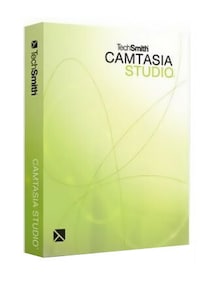
TechSmith Camtasia Studio 6 (PC) - TechSmith CD Key
Best price for Spain
View offer →
€0.73
at G2A ·
1 offer
Price comparison
StoreEdition / RegionPrice

This site contains affiliate links. We may receive a commission at no additional cost to you.
Advertisement

Price history
Show
This is its lowest recorded price. A good time to buy.
August 25, 2026
October 24, 2026
- Recorded low€0.73 October 23, 2026
- Average price€0.75
- Recorded high€0.78
Once a day we record the lowest price that can be activated in Spain. Tracking starts when the game is added to the comparison site.
This is its lowest recorded price. A good time to buy.
August 23, 2026
October 24, 2026
- Recorded low€0.73 October 23, 2026
- Average price€0.75
- Recorded high€0.78
We record the lowest available price regardless of activation region. Tracking starts when the game is added to the comparison site.
Code copied ✓
About TechSmith Camtasia Studio 6 (PC) - TechSmith
Description as published by the developer on Steam.
TechSmith Camtasia Studio 6 is a Windows screen-recording and video-editing suite for creating software demonstrations, tutorials, presentations, training materials, and polished videos for online or offline distribution.TechSmith Camtasia Studio 6 Key FeaturesRecord the entire screen, a selected window, or a custom screen areaCapture microphone narration and computer audioArrange recordings, video clips, images, and audio on a timelineUse SmartFocus to generate automatic zoom-and-pan effectsAdd callouts, captions, title clips, transitions, and cursor effectsInsert markers and create an interactive table of contentsAdd quizzes and other interactive elements to compatible productionsProduce videos using presets for web, local playback, and other distribution methodsCombine multiple Flash productions into a navigable Camtasia Theater menuCreate standalone multimedia menus with Camtasia MenuMakerRecord Clear Software DemonstrationsCamtasia Studio 6 captures activity directly from a Windows desktop, making it suitable for explaining software, websites, presentations, and digital workflows. Record a full display or focus on a specific area while adding spoken narration to guide viewers through every step.Edit Recordings on a TimelineThe integrated editor lets users cut unwanted sections, split and rearrange clips, adjust audio, and combine screen recordings with imported images, video, and sound. Title clips and transitions help turn raw footage into a structured and coherent pres