

SWR JST DX Selective Memory Erase Effect Steam CD Key
- Genres
- Action,Indie
Best price for Spain
View offer →
€2.78
at Kinguin ·
4 offers from 4 stores
Save more with coupon
Price comparison
StoreEdition / RegionPrice




This site contains affiliate links. We may receive a commission at no additional cost to you.
Advertisement

Price history
Show
August 25, 2026
October 24, 2026
- Recorded low€2.78 August 25, 2026
- Average price€2.78
- Recorded high€2.78
Once a day we record the lowest price that can be activated in Spain. Tracking starts when the game is added to the comparison site.
It is above its usual price. If you can wait, it often drops.
August 12, 2026
October 24, 2026
- Recorded low€2.66 August 19, 2026
- Average price€2.76
- Recorded high€2.80
We record the lowest available price regardless of activation region. Tracking starts when the game is added to the comparison site.
Code copied ✓
About SWR JST DX Selective Memory Erase Effect
Description as published by the developer on Steam.
An atmospheric platformer where players fight weird monsters that keep on claiming that they're part of an operating system. Have you ever noticed the similarities between old platformers and dreams? Locations are flowing, consequences are twisted, and discoveries don't always follow everyday logic. With 9 worlds to conquer and over 40 levels to discover, SWR JST DX: Selective Memory Erase Effect is inspired by classic console titles, books and movies too numerous to mention, delivered in authentic 256*256 resolution in 256 colors and designed for practice-to-improve style of playing. Other features include: a unique plush model / pixelart integration, great level variety and joypad and keyboard support. Note: this game does not support saving, but there are unlimited continues which only reset ingame points. Please test whether the game runs on your computer by downloading the free tech demo archive first. It can be downloaded here. Game controls: Joypad is autodetected. Keyboard: Cursor left/right = move, Cursor down = ducking (slightly extends sword reach!) or ladders down, Cursor up = ladders up, a,s,d = action buttons. For customization, see system controls. System controls: Esc = Cabinet menu (exit game, change controls), F10 = change video mode (resets game!), F11 = fullscreen/windowed mode, \ = CRT filter toggle, [] = CRT brightness. Please see the announcement on the Community Hub, or readme.txt, for more technical notes.
Related to SWR JST DX Selective Memory Erase Effect
 Steam
Steam
Borderlands 4
from
€19.63
77 offers
 Steam
Steam
Men of War: Assault Squad 2
from
€2.65
47 offers
 Steam
Steam
WARDOGS
from
€16.89
44 offers
 Steam
Steam
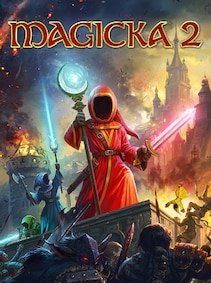
Magicka 2
from
€2.81
40 offers
 Steam
Steam
FAIRY TAIL 2
from
€22.77
40 offers
 Steam
Steam
Chivalry 2
from
€2.16
37 offers
 Steam
Steam
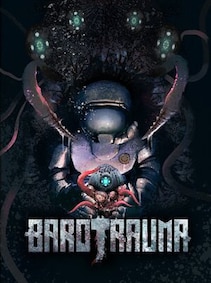
Barotrauma
from
€6.06
35 offers
 Steam
Steam
Days Gone
from
€11.34
35 offers