
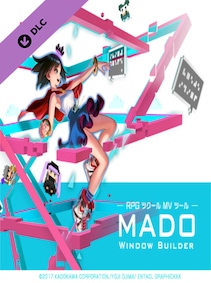
RPG Maker MV - MADO Steam DLC
- Genres
- Diseño e ilustración, Publicación web
- Release date
- September 6, 2017
- Developer
- Gotcha Gotcha Games, KADOKAWA
- Publisher
- Gotcha Gotcha Games
Price comparison


This site contains affiliate links. We may receive a commission at no additional cost to you.
Price history
This is its lowest recorded price. A good time to buy.
- Recorded low€1.65 September 21, 2026
- Average price€1.80
- Recorded high€2.09
Once a day we record the lowest price that can be activated in Spain. Tracking starts when the game is added to the comparison site.
This is its lowest recorded price. A good time to buy.
- Recorded low€1.65 September 21, 2026
- Average price€1.88
- Recorded high€2.09
We record the lowest available price regardless of activation region. Tracking starts when the game is added to the comparison site.
About RPG Maker MV - MADO
Description as published by the developer on Steam.
MADO is tool created for the RPG Maker MV series. It lets you customize the window graphic used in your game. MADO includes, 50 themes for frame, corners and background patterns! You're just a few clicks away from making the perfect windows to match your game world! These include:
• Standard
• Modern
• Pop
• Material
• Machine
• Other
With that much choices, you can customize your game windows to fit several game themes such as the classic fantasy RPG, futuristic worlds, high-school romance, horror and much more.
Installing MADO
• Open RPG Maker MV and your Project.
• Select Tools -> RPG Maker MV Tools...
• Select Window Maker -> Add
• Press OK.
• Press the newly added icon to start using MADO! There is a guide to help you use it in the Help Tab.
NOTE: MADO installs a plugin to your desired project. This is how it will modify the windows of your game.
Customizing MADO
You can also add your own original window graphic parts!
• Go to the Root Folder of the Tool. Normally this is in Steam\steamapps\common\RPG Maker MV\tool\MADO\Parts
• You will see an img folder. This is where you will place the new Window Graphics you wish to use. Window_ID050 is a template that you can follow.
• Once you are done, simply name your new graphic as "Window_ID0XX" 0XX being the new number. This is the unique ID of your graphic.
• The thumbs folder is a small preview of your newly made window graphic to display on the tool itself. Make sure to
System requirements
| Component | Minimum | Recommended |
|---|---|---|
| SO | WindowsR 7/8/8.1/10 (32bit/64bit) | — |
| Procesador | Intel Core2 Duo or better | — |
| Memoria | 2 GB de RAM | — |
| Gráficos | DirectX 9/OpenGL 4.1 capable GPU | OpenGL ES 2.0 hardware driver support required for WebGL acceleration. (AMD Catalyst 10.9, nVidia 358.50), iOS 8.0, Android 4.4.4* |
| Almacenamiento | 500 MB de espacio disponible | — |
Notas adicionales: 1280x768 or better Display
Requirements published by the developer on Steam. Actual performance depends on resolution and graphics settings.
Related to RPG Maker MV - MADO
 Steam
Steam
Lust from Beyond
 Steam
Steam
Sherlock Holmes versus Jack the Ripper
 Steam
Steam
Death Must Die
 Steam
Steam
Limouzik
 Steam
Steam
YOU DON'T KNOW JACK TELEVISION
 Steam
Steam
HellSlave II: Judgment of the Archon
 Steam
Steam
Midnight Ghost Hunt: Europe &
 Steam
Steam